Guide
Connecting your LeetCode profile
Paste your profile link, confirm it's you, and add one short sentence to your ReadMe. That's all. DSAtlas never asks for your LeetCode password, cookies or a sign-in.
Prove it’s yours
Anyone can type a username, so DSAtlas gives you a marker — a sentence ending in a code like DS-XXXX-XXXX-XXXX-XXXX. It belongs to you alone, reveals nothing about you, and only works for the connection it was issued for. Once we see it on your profile, your connection is verified. Keep it there; we look for it now and then.
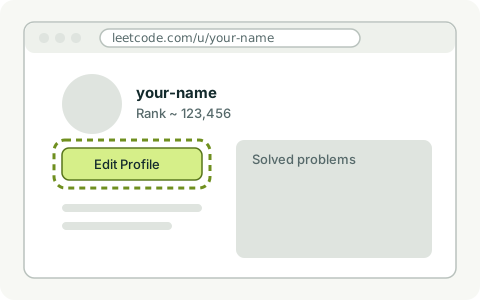
1 Open leetcode.com/u/your-name and choose Edit Profile.
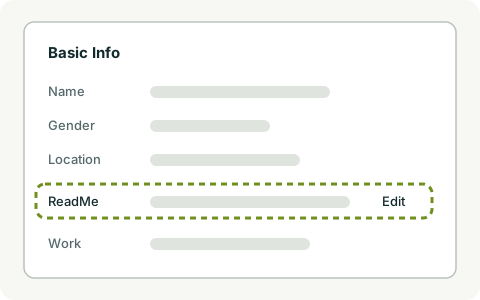
2 In Basic Info, find ReadMe and choose Edit.
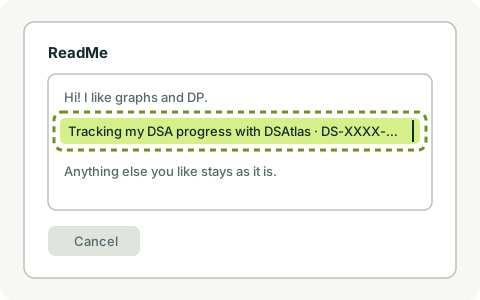
3 Paste the DSAtlas sentence anywhere in your ReadMe. Keep everything else.
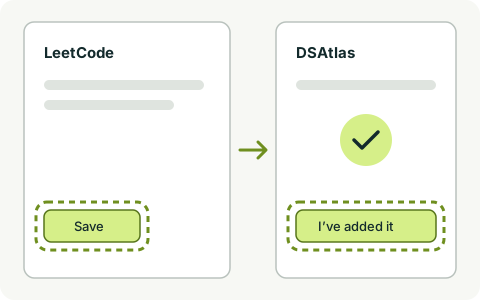
4 Save on LeetCode, then press “I’ve added it” in DSAtlas.
After that
- Once verified, your public LeetCode progress syncs automatically — more often while you’re practising. Nothing from the profile is shown before that.
- After you press “I’ve added it”, we look for the marker for 30 seconds. If it isn’t there, the check is rejected — save the marker in your ReadMe and try again.
- If LeetCode is unreachable, nothing is lost and nothing counts against you.
- Changed your username? Tell us the new one; your marker on the new profile proves it’s the same account.
- Switching to a different account keeps the current one until the new one is proven. History from an old account is kept separately and never counted as current.
- Disconnecting ends the marker for good. You can delete your LeetCode history too.